Intranet portal
Company Intranet & Room Reservation System
News, documents, policies, and meeting-room bookings in one internal site, where each department manages its own page and restricted rooms go through approval.
- Client
- Private company (confidential)
- My role
- Sole developer (from HTML mockup to full-stack production app)
- Timeline
- 2026 · ~6 weeks
- levels of access, from employee to superadmin
- 3
- levels of access, from employee to superadmin
- how far ahead staff can book rooms
- 30 days
- how far ahead staff can book rooms
- device per account, enforced in real time
- 1
- device per account, enforced in real time
- automated test scripts
- 45+
- automated test scripts
The problem
The company needed one internal home for news, departments, documents, and policies. Each department wanted to publish its own announcements and files without asking IT for every change, and meeting rooms needed a proper booking process, with approval required for some rooms.
What the company has now
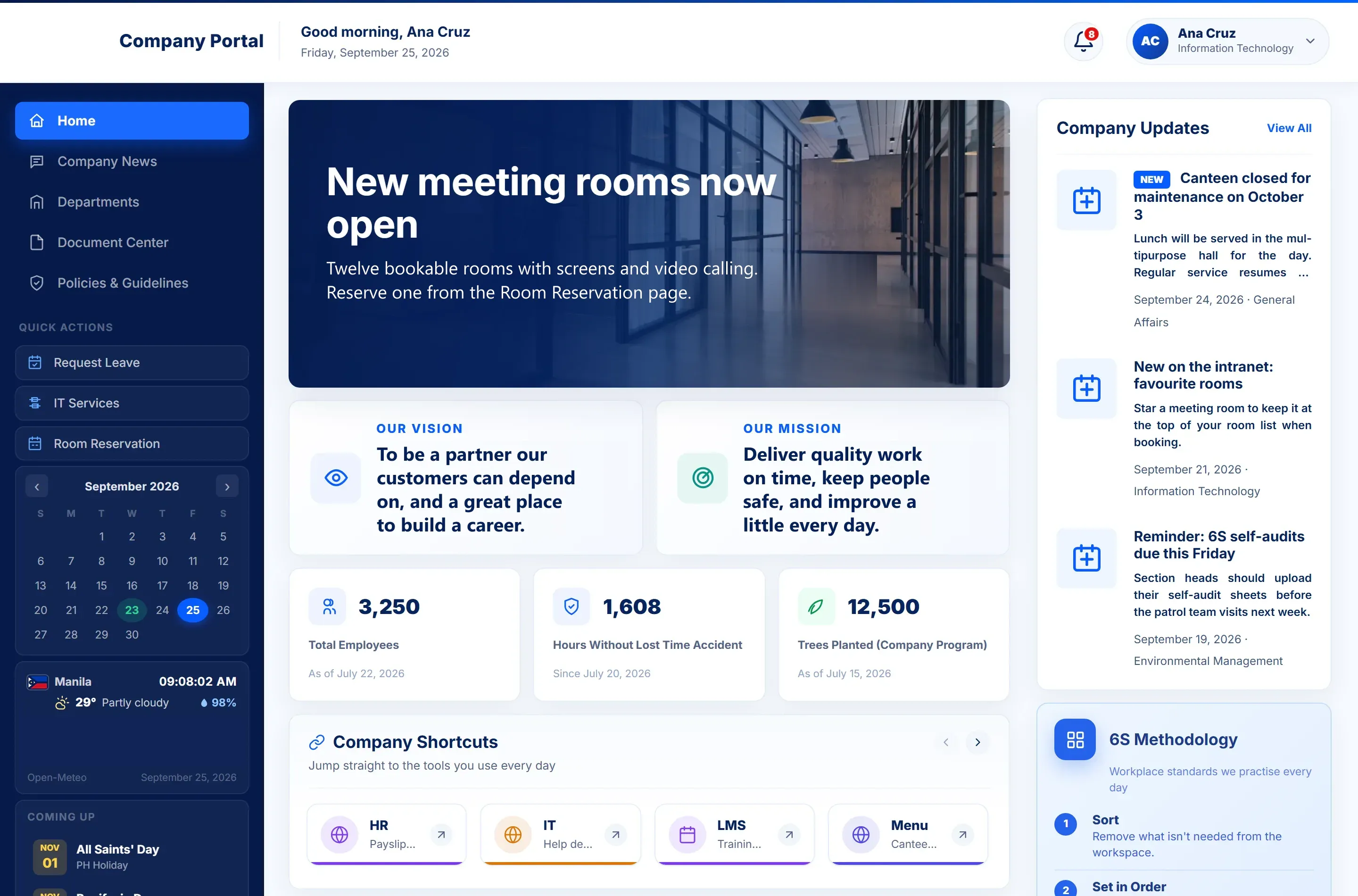
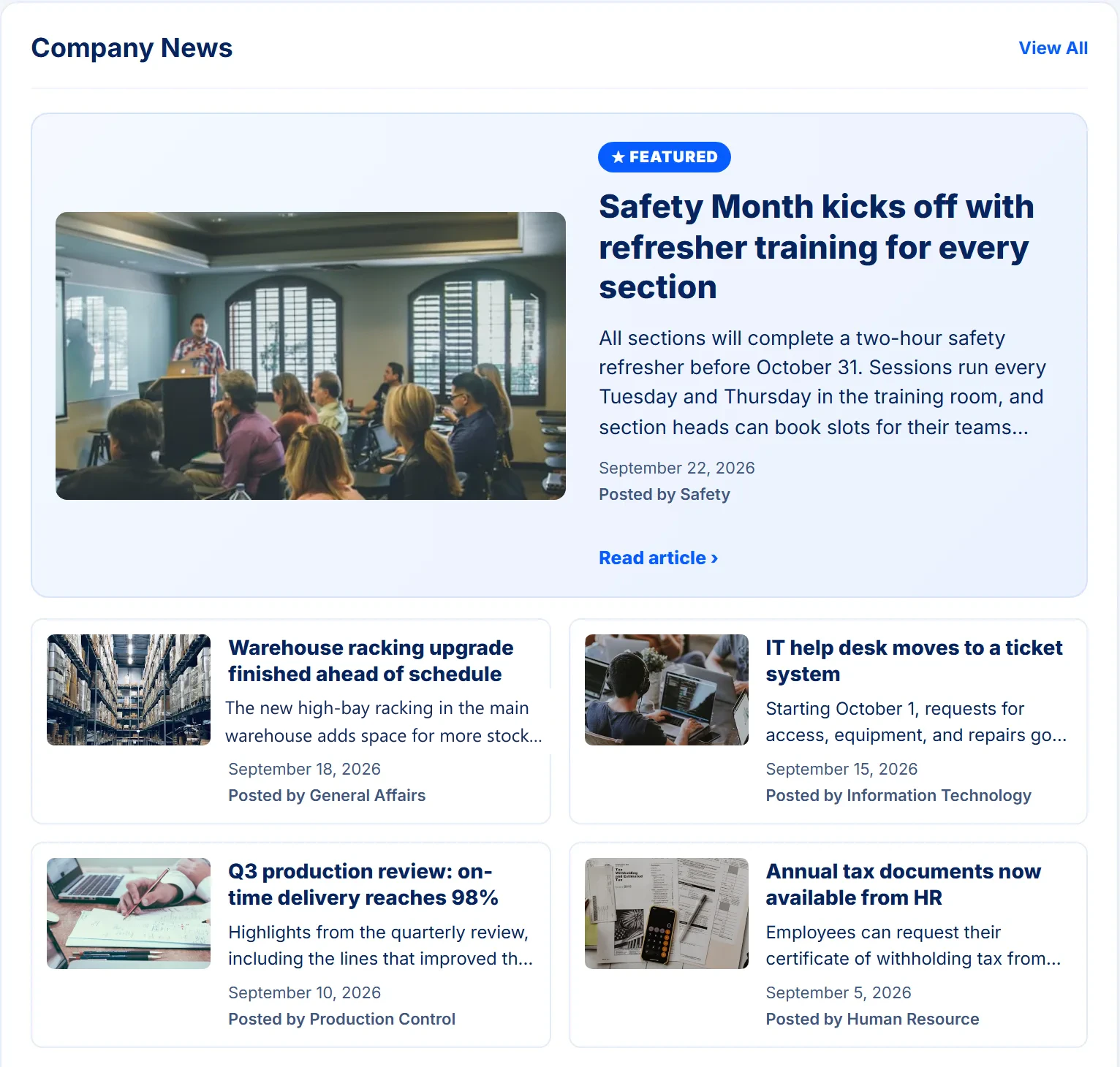
- One place for company information: news, events, updates, a document center, and policies, all on the homepage or one click away.
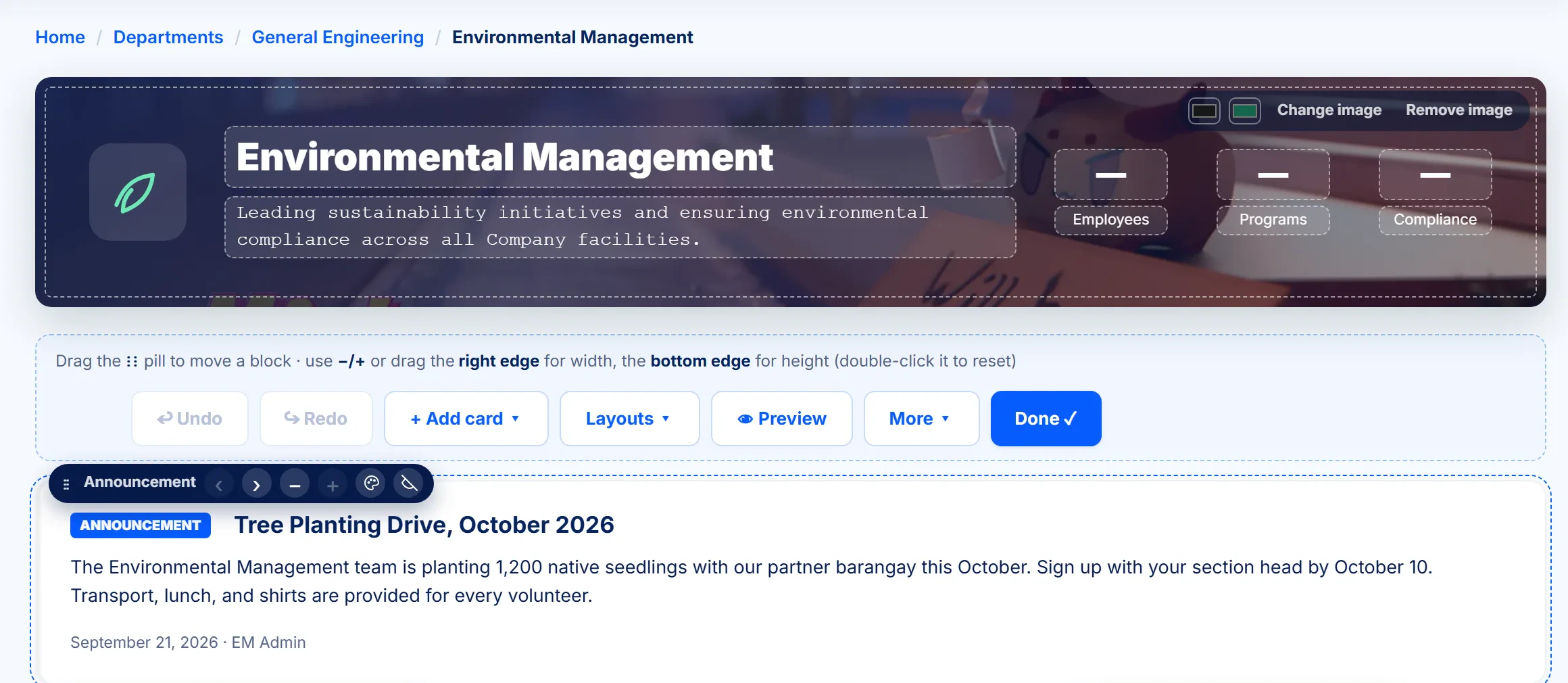
- Departments run their own pages. Department admins arrange their page with a drag-and-drop Page Designer, and publish or unpublish their own files.
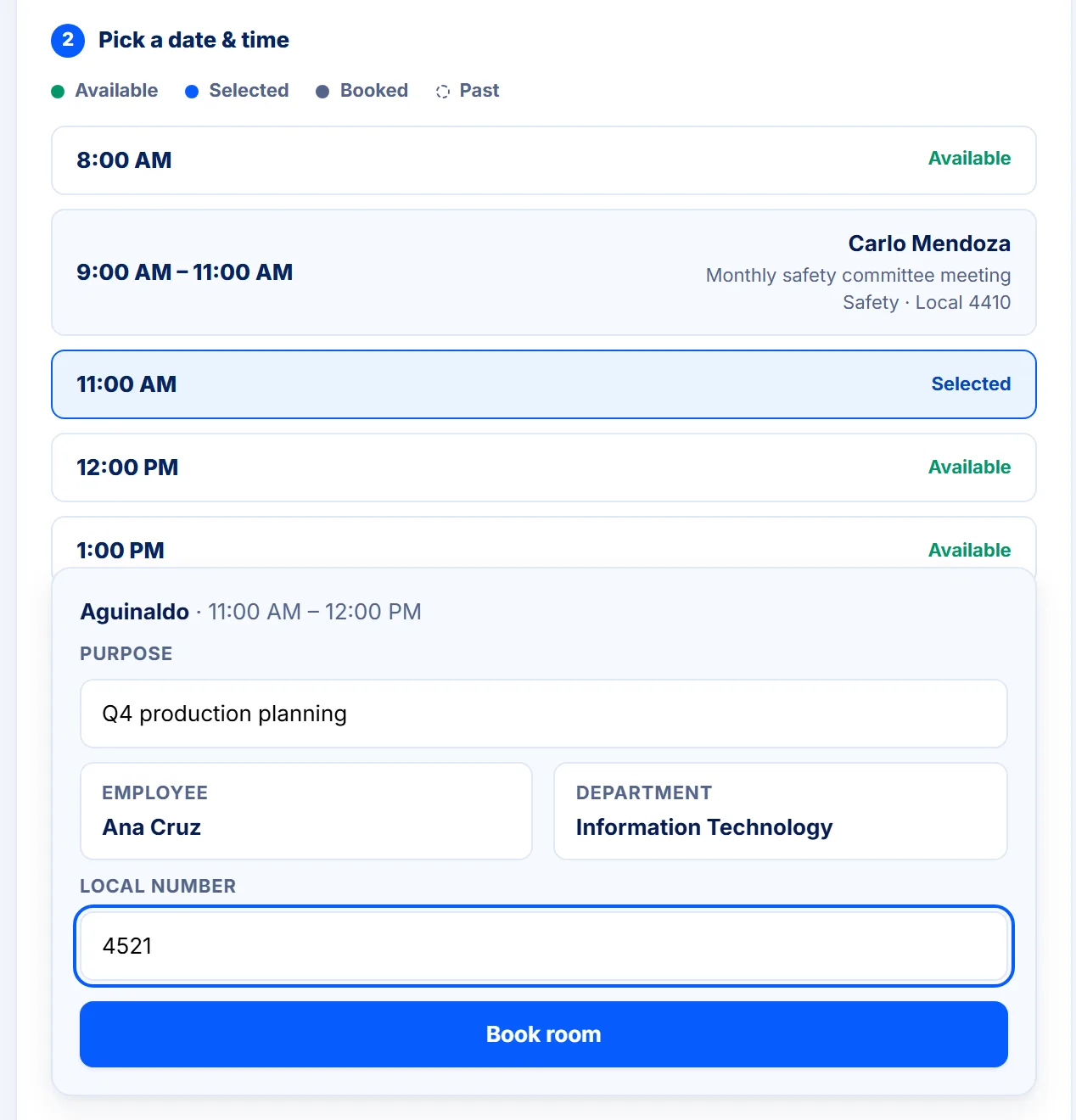
- Meeting rooms booked online. Hourly slots up to 30 days ahead, with public holidays built in and recurring bookings. Restricted rooms go through an approval step, and each section can hold at most two rooms at a time.
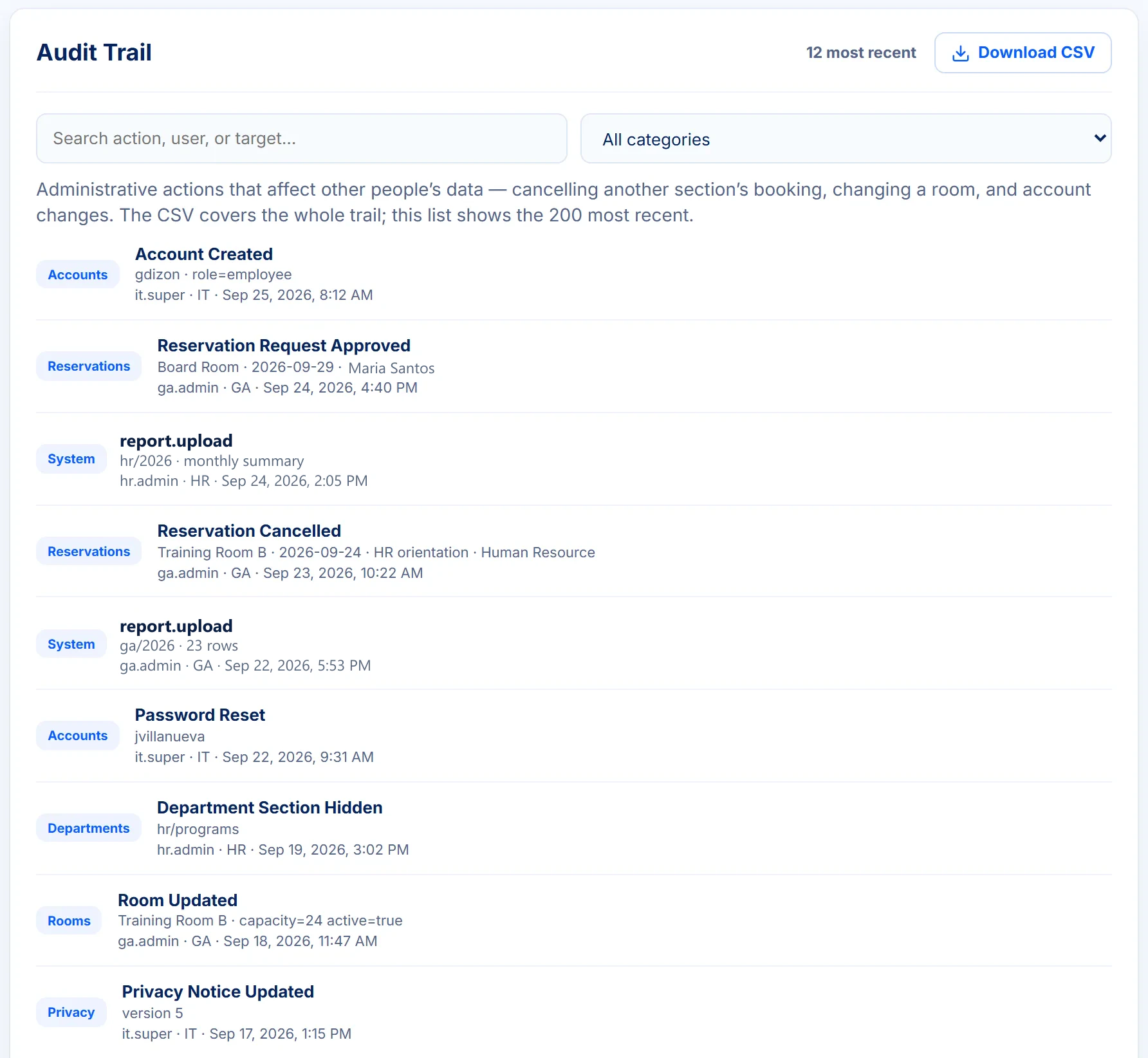
- Accountability. Every admin action, such as a cancelled booking, a changed room, or an account change, is logged, searchable, and exportable to CSV.
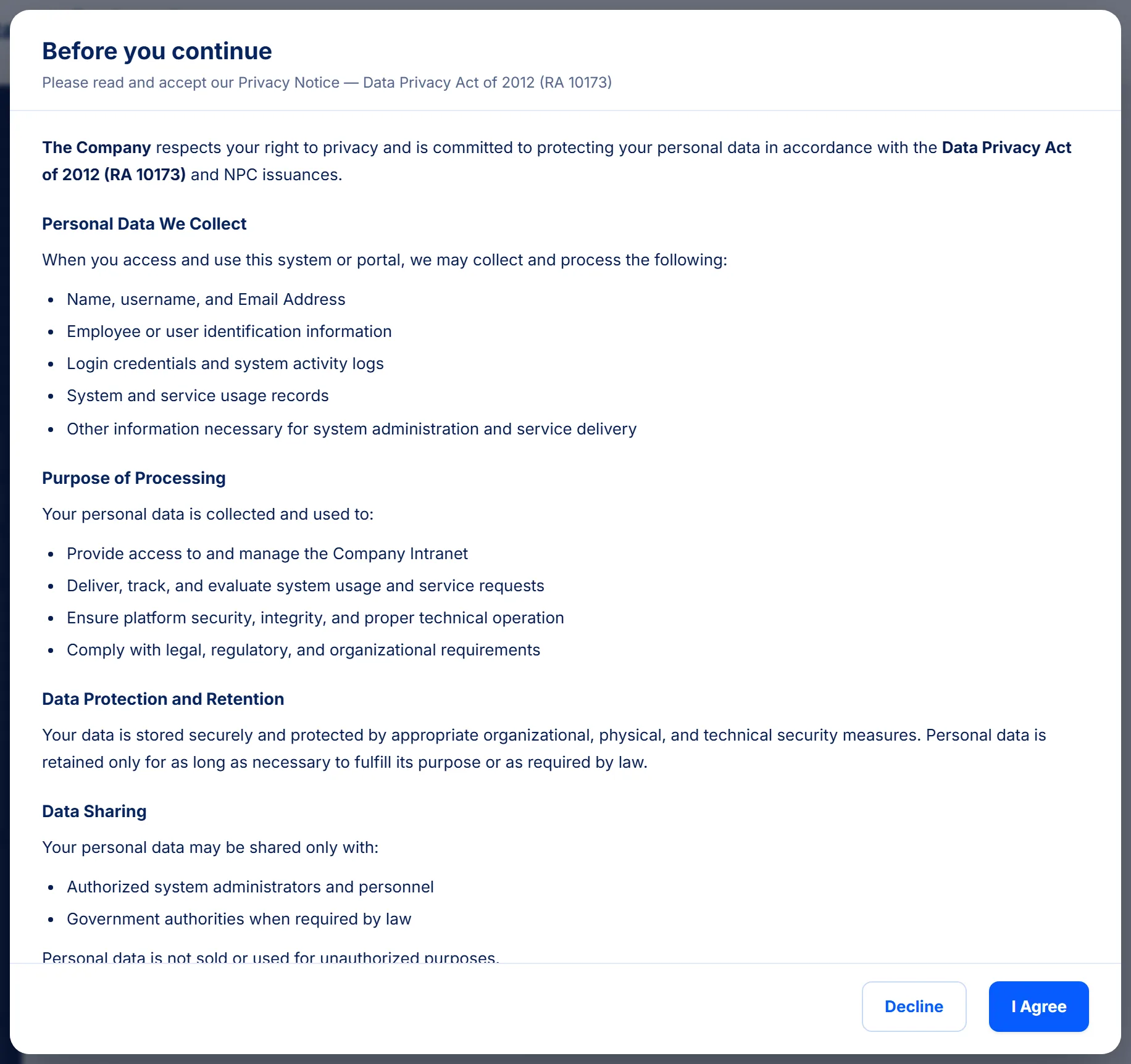
- Privacy compliance. Users accept the privacy notice under the Data Privacy Act (RA 10173) at sign-in, and their acceptance is recorded.
How it works for each role
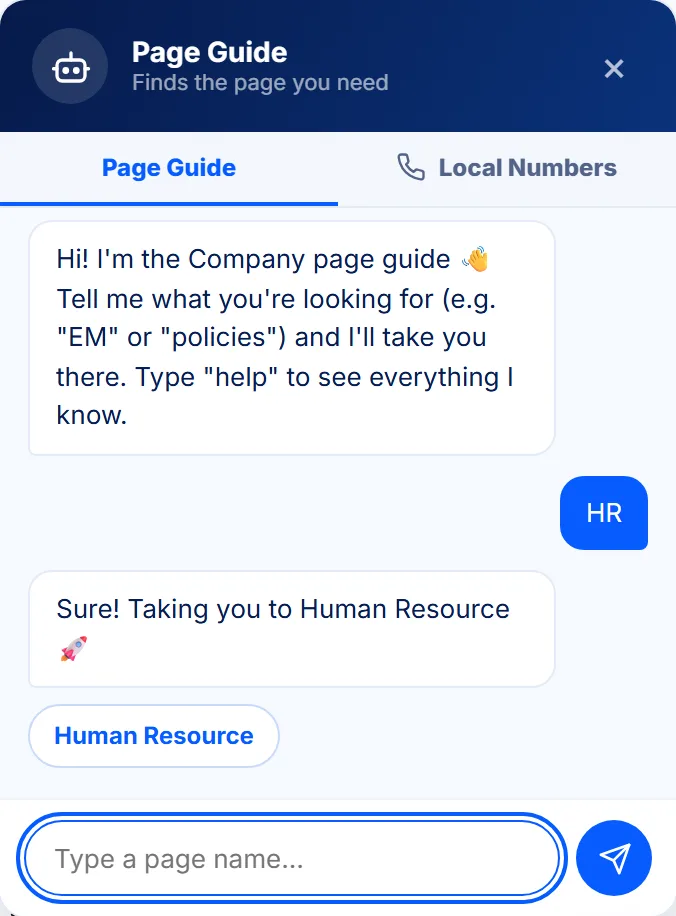
- Employees read company news, find documents and policies, book rooms, and track their bookings. A page guide takes them to the right page when they type a name or abbreviation.
- Department admins manage their department’s page, files, programs, and team.
- The superadmin manages accounts, company-wide content, the audit log, and the privacy notice.
Decisions I made, and why
- Booking rules live in one place. The limits are defined once and shared by the booking screen and the API, so the two can’t disagree. The server checks every rule, even if someone gets around the screen.
- One device per account, enforced right away. Signing in elsewhere, or being deactivated by an admin, ends the other session immediately, using Server-Sent Events.
- Bad data is stopped at the database too. On top of input validation, the database rejects invalid records. Passwords use salted scrypt hashing with timing-safe comparison, and sessions are token-based.
- Every role is tested in the real interface. A Playwright suite runs security checks, walks through all three roles, and checks layouts at phone, tablet, and desktop sizes.
- One server for the site and its API. A single Node.js server delivers both on the client’s own servers, backed by Microsoft SQL Server, so there is one thing to install and run.
Screens
Click any screen to view it full size.
Need something similar?
I can build a system like this for your company, shaped around your own process.